How it works
Whistlechannel supports receiving and following up whistleblower reports. The organisation remains responsible for independent case handling, information, procedures and applicable legal duties.
- 1
1. The reporter submits a report
The reporter opens the organisation’s channel, describes the concern and chooses whether to provide a name and contact details. Supporting files can be added to the form.
- 2
2. A case handler reviews it
The organisation’s case handlers sign in to read the report, update its status and follow up the information. The organisation appoints recipients and remains responsible for handling the case.
- 3
3. The reporter follows up
An anonymous reporter receives a token and a passphrase. Both are needed to return to the dialogue, read replies and provide further information.
From your own channel to follow-up
Prepare the organisation’s channel
Register the organisation and give the appointed case handlers access to the service. Publish the channel link where the intended audience can find it, alongside information about who receives reports and how they are followed up. Reporters use the organisation’s channel; the signup page is for the organisation that will operate it.
Describe the concern and choose how to report
The reporter describes the concern and can add a title, category and attachments. They can report anonymously or provide a name and email address, and can request an in-person meeting. The organisation arranges requested meetings and its oral reporting route. Audio is planned as a separate add-on marked “Coming soon”. Report details and files can reveal identity even when no name is given.
Review the report and record progress
A case handler opens the case in the signed-in view and reviews the description and supporting material. The status can be updated as work progresses. For an anonymous report, the handler can ask follow-up questions and reply through the case dialogue. The service supports the work; the organisation decides who handles the case and what action is needed.
Keep your access details and return to the dialogue
After an anonymous report, a token and a passphrase are displayed once. The reporter needs to save both to sign back into the dialogue later. There they can read replies and send further information. Access to the dialogue does not replace the organisation’s responsibility to monitor, investigate and respond to reports.
See the product in action
Current product views with fictional test data. Explore the flow in the public demo.
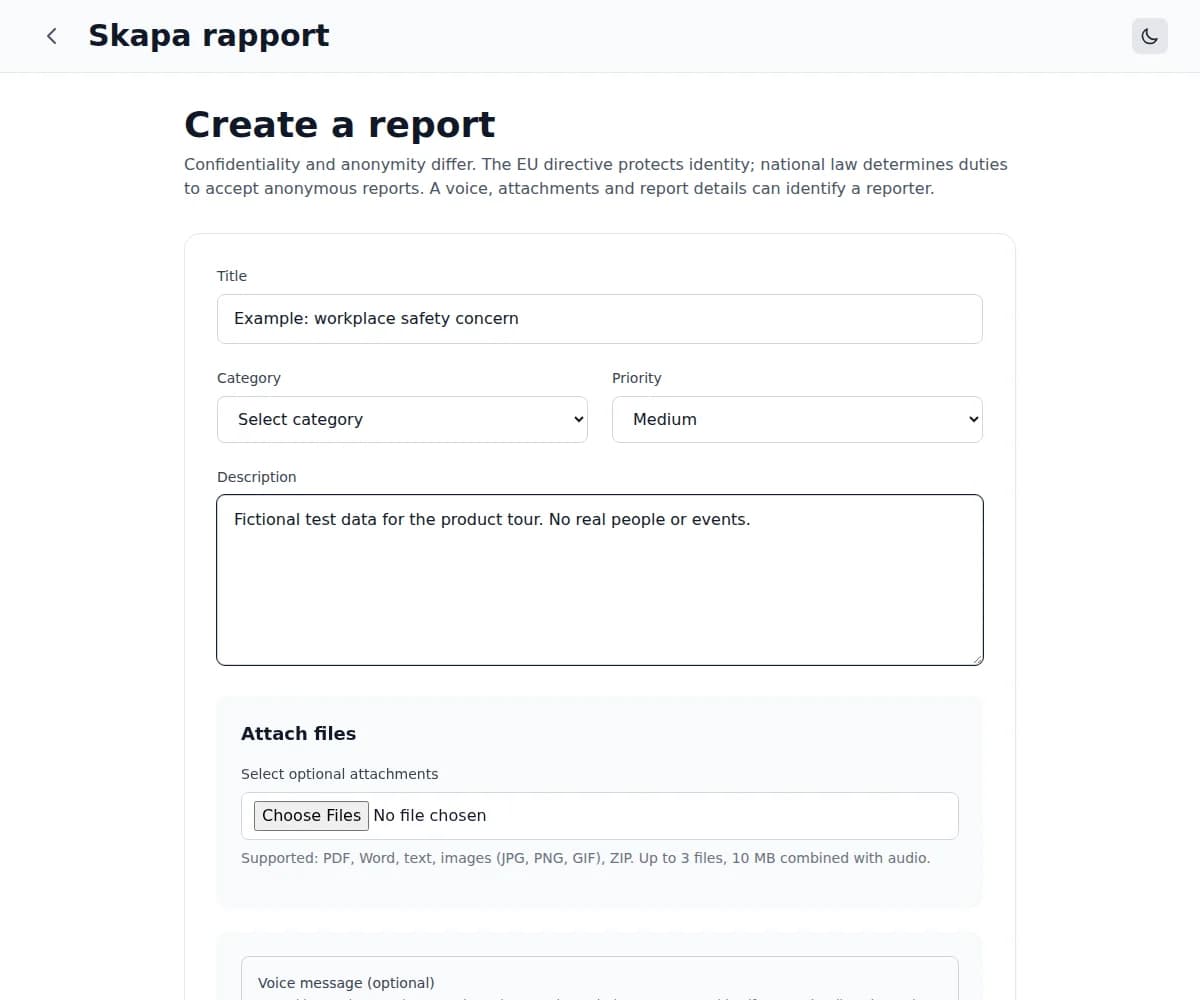
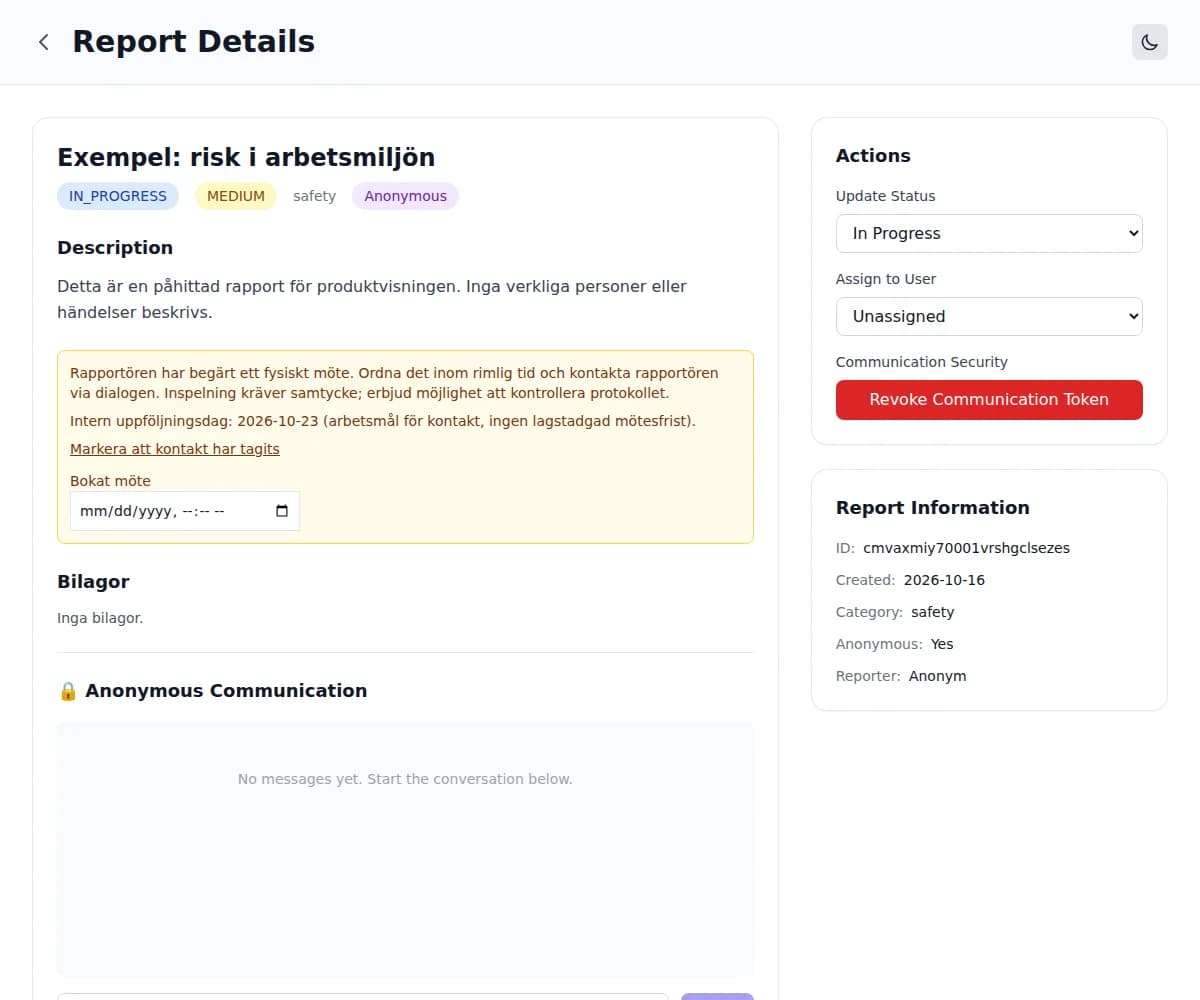
Questions about the reporting flow
- Does the reporter need an account?
- No. Reporters use the organisation’s reporting channel without a user account. Accounts and sign-in are used by the organisation’s case handlers. Anonymous follow-up instead uses the token and passphrase displayed after submission.
- How do I read replies to an anonymous report?
- Open the anonymous dialogue link and use both your token and your passphrase. Save these details when you submit the report; they are shown only once and cannot be recovered. Keep them private so that other people cannot access the dialogue.
- Does the demo create a real case?
- No. The demo shows the report form and a simplified case-handler view using test data. Text and selected files stay in browser memory. Reload or close the page to clear them. Only use fictional information in the demo.
- Who is responsible for handling the report?
- The organisation operating the channel appoints case handlers and is responsible for receiving reports, assessing them, taking action and providing feedback. Whistlechannel supplies the reporting and follow-up tool. Signing up or updating a case status does not by itself mean that a report has been dealt with.